
Article
The ultimate booth setup walkthrough (move-in to show open)
Step-by-step booth setup from freight arrival to doors open — I&D timing, power and AV checks, demo staging, and the hour-one traffic audit.
Article
Short answer: Run booth setup in this order on move-in day — freight check → I&D → graphics hang → power/AV test → demo staging → staff briefing → hour-one audit after doors open. A 10×10 inline needs roughly five to seven hours; a 20×20 island needs eight to eleven; custom 40×40+ builds often consume a full move-in shift. Never hang graphics before power is verified, and never open the aisle without a greeter on the lip.
When I review exhibitor post-mortems after major B2B fairs, setup failures cluster at the same choke points: freight opened without a packing-list check, graphics hung before electricians finished, demos staged after staff briefing so no one rehearsed the live station. This walkthrough is the chronological sequence I require on every move-in brief for 2026 — not another generic checklist, but the order that prevents a second labor call and a weak hour one on the aisle. Start with our trade show packing list so freight check has a baseline; this page is what happens after the crates hit the dock.
Why sequence matters more than speed
Move-in is not a race to flip a "ready" switch. It is dependency management. Graphics cannot go up until the frame is square. Power cannot be signed off until drops land where the AV plan says they will. Staff cannot rehearse a demo that does not exist yet. When teams reorder steps to "save time," they usually buy overtime instead — union rebook fees, a second electrician visit, or a graphics crew called back because someone hung panels before the header was level.
I tie every setup milestone to a named owner on the show brief. If your team mixes internal reps with agency staff, align roles using our staffing agency guide before move-in, not at the back of the booth when the aisle supervisor asks who is in charge.
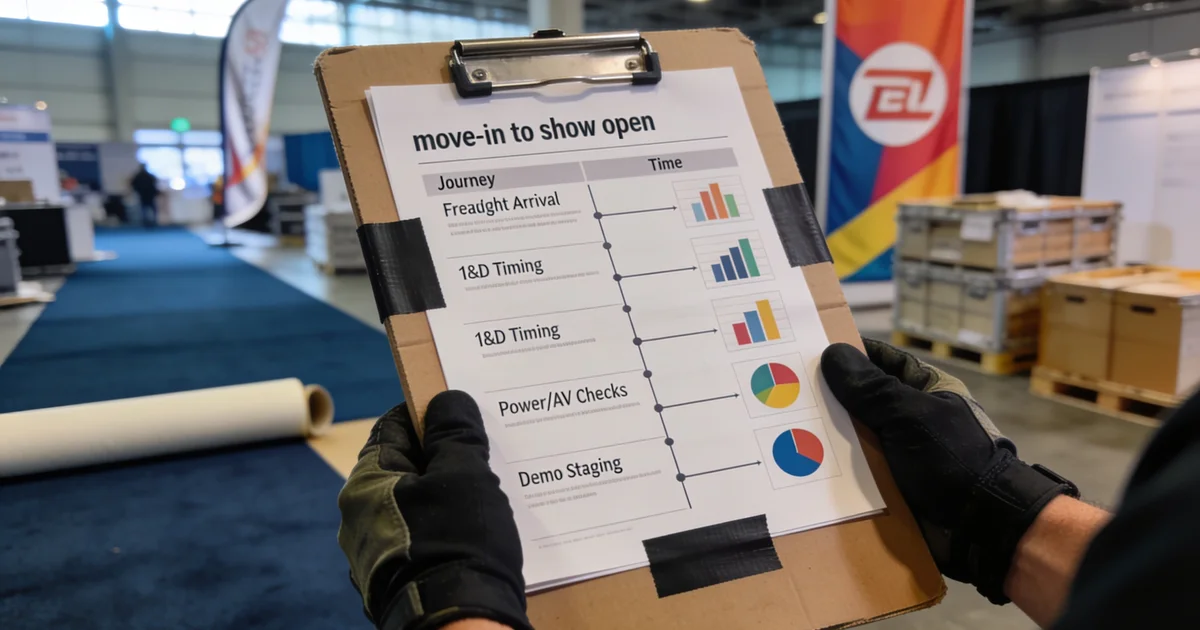
Move-in timeline at a glance
- Freight check — verify crate count, damage, and contents against the packing list
- I&D — install structure, flooring, and furniture per labor rules
- Graphics hang — panels, headers, and wayfinding after the frame is set
- Power/AV test — outlets, internet, monitors, and demo hardware on show power
- Demo staging — live station, sample product, and loop video ready to run
- Staff briefing — roles, pitch, CRM fields, and escalation path
- Hour-one audit — greeter placement, traffic flow, and capture test after doors open
Print this sequence on the move-in brief. When someone asks "can we hang graphics while the carpet crew is still here?" the answer is no — carpet and leveling finish first, then graphics, then power sign-off.
Setup timing by booth size
Actual hours vary by hall, union windows, and custom rigging. I use these bands when scheduling labor and travel — pad 20% if this is your first show at the venue.
| Step | 10×10 inline | 20×20 island | 40×40+ custom |
|---|---|---|---|
| Freight check | 30 min | 45 min | 60–90 min |
| I&D | 2–3 hr | 4–6 hr | 8–12 hr |
| Graphics hang | 45 min | 1.5 hr | 2–4 hr |
| Power/AV test | 30 min | 45 min | 60–90 min |
| Demo staging | 45 min | 1 hr | 1.5–2 hr |
| Staff briefing | 30 min | 45 min | 60 min |
| Hour-one audit | 15 min | 20 min | 30 min |
| Total (typical) | 5–7 hr | 8–11 hr | 14–20 hr |
Island and peninsula footprints add circulation planning time — you are staging demos visible from three aisles, not one. Custom builds with overhead rigging often split across two move-in shifts; confirm your window when you shortlist fairs on ExhibitionsVoice and read the exhibitor manual for that hall.
Step 1: Freight check
Before any fork truck leaves the dock, walk the packing list. Count crates, note visible damage, and flag missing cases immediately — not after I&D starts and the labor clock runs.
I assign one person as freight lead with the printed list from our packing checklist:
- Crate count matches the advance shipping receipt and show drayage tag
- Damage log photographed before cases are opened — claims need timestamps
- Critical path items — demo hardware, graphics cases, power strips — staged for first open
- Missing item protocol — vendor contact and backup plan (loaner monitor, printed backup graphic) decided on the spot
Skipping freight check is how teams discover the main monitor never left the warehouse at 4 p.m. when union labor rates double. Drayage and material handling belong in your setup budget — see our hidden costs beyond booth rent guide so move-in surprises do not blow the line item finance already approved.
Step 2: I&D (installation and dismantle)
Structure and furniture come next. Carpet, counters, demo plinths, and modular walls must be level and anchored before anyone touches graphics or AV. On inline booths, confirm aisle orientation matches your booking — a 180-degree flip costs hours you will not get back.
Union labor notes matter here. Major US halls — McCormick Place, Javits, LVCC, Moscone, and many others — assign jurisdiction by trade:
- Union carpenters / riggers — structural walls, overhead signs, hanging elements above a height threshold
- Union electricians — power drops, hard-wired fixtures, anything beyond plugging approved devices into show outlets
- Registered EAC (exhibitor-appointed contractor) — often required to supervise non-union exhibitor labor; rules vary by hall
- Exhibitor staff — typically may unpack literature, dress counters, and plug approved laptops/monitors — never assume without reading the manual
Violations trigger stop-work orders and rebook fees at overtime rates. I budget I&D and labor as a single line on the show brief, not as a footnote — the hidden costs guide breaks down where labor overruns usually hide.
Step 3: Graphics hang
Hang graphics only after the frame is square and headers are secure. Panels mounted on a flexing structure wrinkle by hour one; remounting means calling the install crew back.
Checklist I use before signing off graphics:
- Brand colors match approved proof under hall lighting — not warehouse fluorescent
- Wayfinding readable from 30 feet down the aisle
- Headline matches the pitch script — mismatch kills the greeter's first five seconds
- Velcro, SEG, or screw mounts torqued per vendor spec — vibration from nearby forklifts loosens lazy installs
If headline copy still needs work, fix it pre-show — our booth headline guide pairs with the pitch formula below.
Step 4: Power and AV test
Test on show power, with show internet, on the actual demo laptop you will run opening morning. Hotel-room rehearsals lie — different voltage stability, different Wi-Fi, different monitor resolution.
- Verify every ordered outlet is live — map outlet ID to device on a one-page diagram
- Run the demo loop for 20 minutes uninterrupted; watch for thermal throttling on enclosed plinths
- Confirm lead-capture tablet syncs on hall Wi-Fi; offline mode configured if the network fails
- Test microphone or presentation audio if theater demos are part of your plan
Sign off power before demo staging so you are not running extension cords across a half-finished floor. Electricians booked for a return trip often cannot come back until the next union window — which may be after preview night.
Step 5: Demo staging
Stage the live station before staff briefing so the briefing happens in front of the real setup, not an empty carpet square. The demo is the traffic magnet — our booth visitor tactics guide assumes motion visible from the aisle; setup day is when you confirm that sight line exists.
Staging rules:
- Front third of the footprint clear — clutter reads "do not enter"
- Screen angled toward primary aisle traffic; check sight line from 20 feet out
- Sample product secured but touchable — loose parts walk off in preview hour
- Backup laptop or offline video loop ready if primary demo fails mid-conversation
Step 6: Staff briefing
Briefing happens on the floor, at the demo station, with badges on. I run 30–45 minutes minimum for a 10×10 team; larger footprints with agency staff need a full hour and a written role card.
Cover four items every time:
- Roles — aisle greeter vs demo qualifier vs manager escalation (see staffing guide for agency/internal mix)
- Pitch — read-through of the 30-second booth pitch formula; timed once per person
- CRM — three required fields before the visitor leaves; who logs hot vs warm
- Schedule — breaks, meal coverage, and preview-hour vs public-hour differences
Agency staff without a written script improvise — and improv burns booth spend. If you hired temps, they get the same script as internal reps, plus a supervisor who can answer product depth questions.
Step 7: Hour-one audit after doors open
The setup walkthrough does not end when the hall opens. Hour one is a live audit — I stand on the opposite aisle and watch whether the booth executes the plan.
| Check | Pass | Fail — fix now |
|---|---|---|
| Greeter placement | On aisle lip, eyes up | Team behind counter — redeploy immediately |
| Demo visibility | Motion visible from 20 ft | Screen parallel to aisle — rotate or angle |
| Capture flow | CRM test scan logged | Tablet offline — switch backup or paper log |
| Literature | Stocked at shoulder height | Empty rack — refill before rush |
| Traffic flow | Clear entry, no bottleneck | Bag drop blocking demo — relocate storage |
Fix placement in hour one, not day two. Buyers form impressions in the first pass down your aisle; neighbors who executed setup correctly already captured the stops you lost to a hidden greeter and a dark screen.
Move-in mistakes that waste the whole booth budget
- Graphics before power — rewiring forces a second electrician call
- Briefing before demo staging — team rehearses against air
- No freight lead — missing crate discovered at overtime rates
- DIY on union tasks — stop-work order burns half the move-in window
- Skipping hour-one audit — traffic problems invisible until day two
Setup quality does not fix a wrong show on the calendar. Shortlist fairs with ICP density on ExhibitionsVoice before you spend labor on a hall where your category cluster never walks the aisle.
FAQ
How long does it take to set up a trade show booth?
A 10×10 inline typically needs five to seven hours from freight check to show-ready. A 20×20 island needs eight to eleven hours. Custom 40×40+ builds often require fourteen to twenty hours across one or two move-in shifts, depending on rigging and AV complexity.
What is the correct order of booth setup on move-in day?
Freight check, then I&D, graphics hang, power/AV test, demo staging, staff briefing, and an hour-one audit after doors open. Power verification comes before final demo staging so you are not running cords across an unfinished floor.
Can exhibitors install their own booth at trade shows?
It depends on venue rules. Many US union halls restrict structural work, rigging, and power drops to licensed labor. Exhibitor staff can usually unpack collateral and plug approved devices — read the exhibitor manual for your hall before assuming DIY is allowed.
When should you test power and AV at a trade show booth?
After I&D and graphics are in place, before demo staging and staff briefing. Run every outlet, internet drop, and demo device on show power for at least twenty minutes to catch thermal or network issues.
What should booth staff do in the first hour after doors open?
Run the hour-one audit: confirm the greeter is on the aisle lip, the demo loop is visible from twenty feet, CRM capture works, literature is stocked, and traffic flows into the demo without a bottleneck. Fix placement before the aisle rush peaks.
How do union labor rules affect trade show booth setup?
Union halls assign work by trade — carpenters, riggers, electricians. Exhibitor violations trigger stop-work orders and overtime rebook fees. Budget labor in your setup line item using the exhibitor manual jurisdiction chart; do not treat union rules as a day-of surprise.
Move-in timeline overview (freight → hour-one audit)
- Freight check — verify crates against packing list before I&D
- I&D — structure and furniture per labor rules
- Graphics hang — after frame is square, before final lighting
- Power/AV test — outlets, internet, demo hardware
- Demo staging — live station ready before staff briefing
- Staff briefing — roles, pitch, CRM fields
- Hour-one audit — aisle lip, greeter placement, traffic flow
Setup timing by booth size
| Step | 10×10 inline | 20×20 island | 40×40+ custom |
|---|---|---|---|
| Freight check | 30 min | 45 min | 60–90 min |
| I&D | 2–3 hr | 4–6 hr | 8–12 hr |
| Graphics hang | 45 min | 1.5 hr | 2–4 hr |
| Power/AV test | 30 min | 45 min | 60–90 min |
| Demo staging | 45 min | 1 hr | 1.5–2 hr |
| Staff briefing | 30 min | 45 min | 60 min |
| Hour-one audit | 15 min | 20 min | 30 min |
Union labor notes
Major US halls (McCormick, Javits, LVCC, Moscone) restrict who may drive fork trucks, run power drops, and hang overhead rigging. Exhibitor staff may often unpack literature and plug approved devices — but structural work belongs to union or registered EAC labor. Read the exhibitor manual before move-in; violations trigger stop-work orders and overtime rebook fees.
Cross-links
Packing list · booth traffic tactics · 30-second pitch · hidden costs · staffing guide · ExhibitionsVoice directory
Common exhibitor questions
How long does it take to set up a trade show booth?
A 10×10 inline typically needs 5–7 hours from freight check to show-ready; a 20×20 island needs 8–11 hours; 40×40+ custom builds often require a full move-in day plus a partial second shift depending on rigging and AV.
What is the correct order of booth setup on move-in day?
Freight check first, then I&D structure, graphics hang, power/AV test, demo staging, staff briefing, and an hour-one audit after doors open. Never hang graphics before power is verified — rewiring forces a second labor call.
Can exhibitors install their own booth at trade shows?
It depends on venue union rules. Many US halls require union or registered EAC labor for structural work, rigging, and power drops. Exhibitor staff can usually unpack collateral and plug approved devices — read the exhibitor manual before move-in.
When should you test power and AV at a trade show booth?
After I&D and graphics are in place but before demo staging and staff briefing. Test every outlet, internet drop, monitor, and demo laptop on show power — not hotel power from the night before.
What should booth staff do in the first hour after doors open?
Run an hour-one audit: confirm the greeter is on the aisle lip, demo loop is visible, literature is stocked, CRM capture works, and traffic flow matches your layout plan. Fix placement before the aisle rush peaks.
How do union labor rules affect trade show booth setup?
Union halls assign jurisdiction — carpenters hang structure, electricians run drops, riggers handle overhead. Exhibitor DIY on restricted tasks triggers stop-work orders and overtime rebook fees. Budget labor in your hidden-cost line, not as a surprise on move-in day.
Editorial standards & corrections
This guide is maintained by the ExhibitionsVoice editorial team. We cross-check dates, venues, and organizer names against official sources before listing events. Spot an error? Use our contact form with the event URL and corrected details — every correction request is read by editorial.
Read more: About ExhibitionsVoice · FAQs · All exhibitor guides
Related articles
Oil and gas trade shows 2026: energy calendar and how to pick
Oil and gas trade shows for 2026 — ADIPEC, WETEX, and offshore energy fairs we score for NOC, IOC, and energy-tech exhibitors.
CPHI India 2026 exhibitor guide: Delhi pharma ingredients floor
CPHI India 2026 exhibitor guide for 23-25 November at IICC Yashobhoomi, New Delhi — API, CDMO, and packaging teams scoring South Asia's ingredients floor.
Fintech trade shows 2026: payments calendar and how to pick
Fintech and payments trade shows for 2026 — Money20/20 USA, Sibos, and how banks and vendors pick Tier A/B/C money-ecosystem floors.
ADIPEC 2026 exhibitor guide: Abu Dhabi energy floor
ADIPEC 2026 exhibitor guide for 2-5 November at ADNEC Centre Abu Dhabi — who should exhibit, hall logistics, and how we score the energy floor.