
Article
Build a high-converting trade show landing page
Landing pages for pre-show meetings and QR capture — headline, form fields, UTM tags, and mobile layout rules that convert aisle traffic into CRM records.
Article
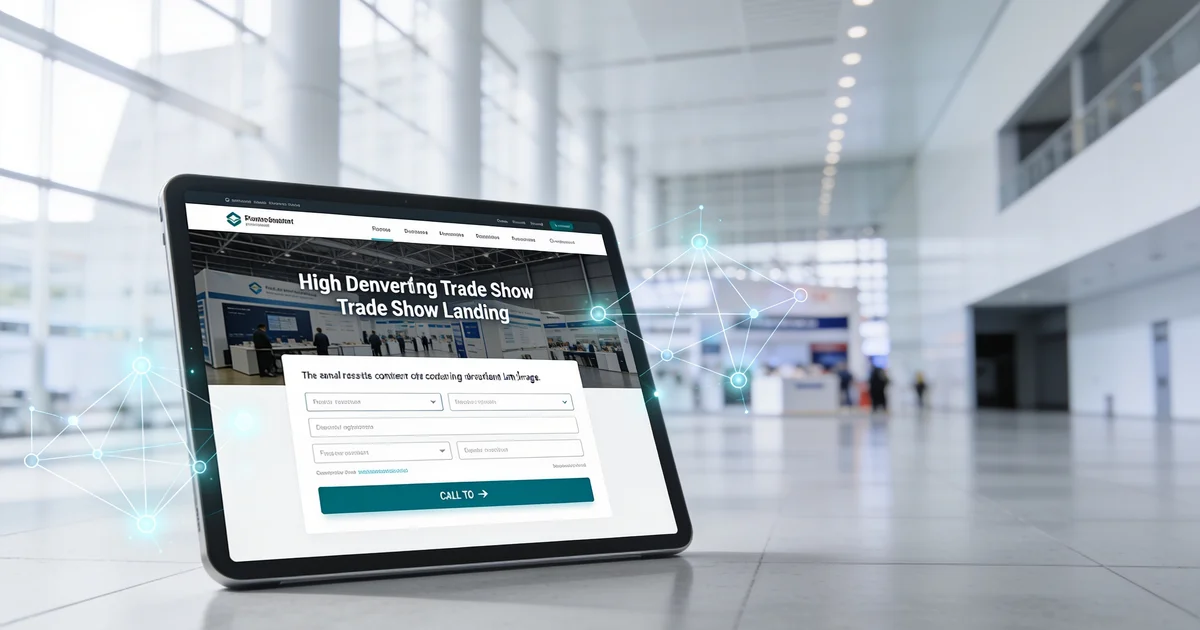
Short answer: A high-converting trade show landing page is a show-specific mobile page — not your homepage — with an outcome-first headline, subhead, and single CTA above the fold, a five-field maximum form, UTM and CRM show tags, and two variants: pre-show meeting booking for outreach and on-site capture for booth QR. A/B test headline and CTA on mobile before booth graphics print, and add a privacy line on EU forms.
When I review exhibitor briefs ahead of major B2B fairs, the landing page is almost always an afterthought. Marketing builds a beautiful booth, links a QR code to the corporate homepage, and wonders why CRM shows traffic spikes with no meetings booked. The page is the conversion engine — QR codes, email invites, and LinkedIn DMs are just delivery channels. This guide is the 2026 playbook for building the page itself: what sits above the form, how many fields to ask for, mobile layout rules, two variants for pre-show vs on-site traffic, tagging for pipeline reports, and the A/B test window before your backwall copy locks. For where to point booth QR codes and scan placement, see our companion QR codes at the booth guide — this post covers the destination, not the sticker.
One clarification: ExhibitionsVoice is a trade show directory. We do not sell landing page builders, form tools, or attendee lists. The standards here are editorial recommendations we cite when auditing exhibitor kits and shortlisting fairs on ExhibitionsVoice.
What a trade show landing page must do (vs your homepage)
Your homepage serves a dozen audiences — investors, press, job seekers, existing customers. A visitor who scans a code in a noisy hall or clicks a pre-show email has one intent: solve a problem you promised on the booth or in the invite. The show landing page has a single job: capture a qualified lead with show context so sales can follow up with a relevant hook.
That means the URL, headline, and form all reference the event — yourcompany.com/[show-slug]-2026 or a tracked redirect — not a generic /contact buried three clicks deep. Homepage redirects are one of the patterns we flag in our lead capture mistakes guide. Build one page per show minimum; two variants per show is better (see below).
Headline, subhead, and CTA above the fold
Mobile visitors decide in three seconds. Above the fold — visible without scrolling on an iPhone SE viewport — you need three elements:
- Headline — outcome-first, seven words or fewer; names the buyer pain, not your product category. "Cut changeover downtime 40%" beats "Industrial automation solutions"
- Subhead — one sentence of proof, scope, or show context: "See the 2026 benchmark at Booth 1247" or "Used by 200+ plant managers in automotive"
- Single primary CTA — one button in the thumb zone: "Book a 15-min booth meeting" or "Get the 2026 report". Never three equal buttons competing for attention
Headline language should match what visitors read on your backwall. If marketing writes different copy for print and pixel, aisle recognition drops. Use the same outcome-first rules from our booth headline guide so the person who walked past your stand and later clicks your email sees consistent messaging.
Five-field form architecture
Every extra field costs conversions on a hall floor. We cap show landing forms at five fields:
- Full name
- Work email (block free domains if your ICP is enterprise)
- Company
- Role or job title
- One qualifying question tied to your ICP — "What is your biggest challenge with [process]?" or "Which line are you evaluating this quarter?"
Skip phone unless your sales team guarantees same-day callback from that show. Skip address, annual revenue, and "how did you hear about us" — you already know: this show, this channel. Deep qualification belongs in follow-up email and the meeting itself, aligned with our conversations-to-meetings playbook.
After submit, the thank-you page is not optional. Pre-show variant: calendar confirmation plus booth map pin. On-site variant: instant asset download or "check your inbox in five minutes" with the rep-visible confirmation screen so the visitor does not walk away wondering if it worked.
Mobile-first layout rules
Most booth scans happen on phones. Layout rules we enforce on exhibitor briefs:
- Load in under three seconds on 4G — compress images; no hero video autoplay eating bandwidth
- 16px minimum input text — prevents iOS zoom-on-focus that breaks the form flow
- CTA visible without scroll on a 375px-wide viewport; form fields can sit below
- High contrast — dark button on light background; avoid low-contrast brand greys
- Rep-readable confirmation — after submit, show the visitor's email on screen so the booth rep knows capture succeeded
- CRM webhook tested at move-in — submit a test lead during setup; confirm show tag writes to the record
Desktop preview lies. Always QA on a real phone over cellular, not office Wi-Fi.
Two variants: pre-show meeting booking vs on-site QR capture
One page forced to serve every traffic source converts poorly. Build two variants per show — same brand skin, different copy and thank-you path:
| Variant | Traffic source | Headline angle | Primary CTA | Thank-you |
|---|---|---|---|---|
| Pre-show | Email, LinkedIn, calendar invite, rep outreach | "Meet us at [Show Name] — Booth [number]" | Book 15-min meeting at booth | Calendar confirmation + booth map + day-before reminder |
| On-site | Booth QR, counter tent card, poster scan | Outcome + asset promise: "Get the 2026 benchmark" | Download report / request follow-up | Instant download or same-day email; rep sees confirmation |
Pre-show pages feed your meeting pipeline before doors open. Sales sends the URL in outreach; marketing runs LinkedIn ads with UTM content preshow. The CTA is calendar-first because the visitor already knows they are attending.
On-site pages serve colder traffic — drive-by scans, quick conversations. CTA is lower friction: one asset, one follow-up promise. Pair delivery mechanics with our QR placement guide for counter vs poster placement; the page build stays identical regardless of where the code sits.
Both variants share the same CRM show source tag and five-field cap. They differ in headline, CTA label, and thank-you — not in form length or brand chaos.
UTM parameters and show-source tags
Without tags, finance cannot answer which show produced pipeline at day 14. Every landing URL carries UTM parameters; every form submission mirrors the same show identifier in CRM.
Template we recommend:
https://yourcompany.com/[show-slug]-2026?utm_source=trade-show&utm_medium=landing&utm_campaign=[show-slug]-2026&utm_content=preshow
Swap utm_content to qr-counter, qr-poster, or linkedin-ad per channel. The utm_campaign value must match your CRM show source tag exactly — same spelling, same year — so analytics and pipeline reports reconcile without spreadsheet surgery.
When badge-scan backup captures a lead because Wi-Fi failed, apply the same show tag with a manual-backup note. The full dual-capture stack — shift handoffs, dedupe, audits — lives in our capture every lead guide. Shortlist events early on ExhibitionsVoice and bake show slugs into URLs before creative approval.
A/B test before the print deadline
Booth backwall copy and QR labels print weeks before doors open. If the CTA on the wall says "Scan for the benchmark" but the landing page headline says "Welcome to our solutions hub," you lose aisle recognition and waste reprint budget fixing it on site.
Run a lightweight A/B test before graphics lock:
- Split: headline A (outcome-first) vs headline B (show-meeting angle); or CTA label "Book meeting" vs "Get the report"
- Traffic: 50+ clicks from internal team, customer advisory board, or a small email segment — not paid scale; you need signal, not statistical perfection
- Metric: mobile form start rate and completion rate; ignore desktop
- Deadline: finish seven days before print proof approval; winning variant goes on backwall, tent cards, and pre-show outreach
Never print a booth CTA that points to an untested URL. Reprinting a 10×20 backwall costs more than a week of split tests on your existing list.
Privacy line on the form
EU and UK shows add a consent layer US-only teams often paste in at the last minute — and compliance rejects it. Build once into your page template:
- Unchecked consent checkbox — separate from terms; no pre-ticked marketing opt-in
- Link to privacy policy — mobile-readable without pinch-zoom
- One-line data use statement — e.g. "We will use your details to follow up on your booth request and send relevant product updates"
- Store consent timestamp in CRM alongside the lead record
US-only shows still benefit from a brief data-use line; it reduces form abandonment from privacy-conscious buyers. Fixing consent on the floor is not feasible.
Bad vs good trade show landing pages
| Bad practice | Good practice |
|---|---|
| Homepage or /contact redirect | Show-specific URL with show name in headline |
| Ten-field form on mobile | Five fields max + one qualify question |
| One generic page for every show in 2026 | Pre-show and on-site variants per event |
| Print booth CTA before page exists | A/B test complete; winning URL on print proof |
| No UTM or CRM show tag | Consistent utm_campaign + show source tag per event |
| Autoplay hero video on 4G | Static hero; sub-three-second load |
| Thank-you page is "Thanks, bye" | Calendar embed, asset delivery, or clear next step |
| No privacy line on EU forms | Consent checkbox, policy link, timestamp in CRM |
Pre-show landing page checklist (48 hours before outreach)
- Pre-show and on-site variants live; mobile-tested on cellular
- Headline matches booth backwall copy on print proof
- Five fields max; qualifying question aligned to ICP
- UTM template copied per channel; show tag matches CRM spelling
- A/B winner selected; URL on all booth graphics
- CRM webhook confirmed with test submission
- EU shows: consent copy reviewed
- Rep brief: which URL for outreach vs which QR resolves on-site
FAQ
What should a trade show landing page include?
Outcome-first headline and subhead, single CTA above the fold, five-field form maximum, mobile-first layout under three seconds on 4G, thank-you page with next step, UTM and CRM show tags, and a privacy line on EU forms. The page references the show by name — not a generic corporate welcome.
How many form fields should a booth landing page have?
Five fields maximum: name, work email, company, role, and one qualifying question tied to your ICP. Add phone only if sales guarantees same-day callback from that show; otherwise qualify deeper in follow-up aligned with our meeting booking guide.
What is the difference between a pre-show and on-site trade show landing page?
Pre-show pages drive meeting bookings from email and social outreach before doors open — calendar-first CTA, booth map on thank-you. On-site pages serve QR and counter scans with faster asset delivery or follow-up request. Same brand and show tag; different headline, CTA, and thank-you path.
How do you track trade show landing page conversions?
Use UTM parameters with show slug, traffic source (preshow email vs qr-counter vs qr-poster), and year. Mirror the same show source tag on every CRM record from form submissions and badge-scan backups so post-show pipeline reports tie to the event.
Should you A/B test a trade show landing page before printing booth graphics?
Yes. Run headline and CTA label tests on mobile with real clicks before the print deadline. Booth backwall copy and QR labels must match the winning variant URL — reprinting costs more than a week of split tests on your existing list.
What privacy line do you need on a trade show lead form?
EU and UK shows need an unchecked consent checkbox, link to privacy policy, one-line data use statement, and consent timestamp stored in CRM. US-only shows should still include a brief data-use line; it builds trust and reduces abandonment from privacy-conscious buyers.
What a trade show landing page must do (vs your homepage)
One job: capture a qualified lead with show context. Contrast with lead capture mistakes when teams default to homepage URLs from booth QR or email invites.
Headline, subhead, and CTA above the fold
Outcome-first headline (seven words or fewer), subhead with proof or scope, single primary CTA in thumb zone. Align headline language with booth headline guide so print and page copy match.
Five-field form architecture
- Name, work email, company, role, one qualifying question
- No phone unless AE same-day callback is guaranteed
- Single submit button; no multi-step wizard on mobile
- Thank-you page with calendar embed or asset delivery
Mobile-first layout rules
Loads under 3 seconds on 4G; no hero video autoplay; 16px+ inputs; CTA visible without scroll on iPhone SE viewport; rep-readable confirmation screen after submit.
Two variants: pre-show meeting booking vs on-site QR capture
| Variant | Traffic source | Primary CTA | Thank-you |
|---|---|---|---|
| Pre-show | Email, LinkedIn, calendar invite | Book 15-min meeting at booth | Calendar confirmation + booth map |
| On-site | Booth QR, counter tent card | Get asset / request follow-up | Instant download or same-day email |
Pre-show variant pairs with sales meeting playbook; on-site pairs with QR placement guide for delivery only.
UTM parameters and show-source tags
Example: utm_source=trade-show&utm_medium=landing&utm_campaign=[show-slug]-2026&utm_content=preshow|qr-counter. Mirror show tag in CRM. Integrate with capture workflow.
A/B test before print deadline
Test headline A/B and CTA label on mobile with 50+ internal or list clicks before booth graphics lock. Winning variant goes on backwall and QR CTA copy. Never print booth CTA without a tested landing page URL.
Privacy line on the form
EU/UK: unchecked consent checkbox, privacy policy link, one-line data use, consent timestamp in CRM. US-only shows still benefit from a brief data-use statement.
Bad vs good trade show landing pages
| Bad | Good |
|---|---|
| Homepage redirect | Show-specific page with show name in headline |
| Ten-field form | Five fields max + one qualify question |
| One page for all shows | Pre-show and on-site variants per event |
| Print CTA before page test | A/B headline tested; URL on proof |
Common exhibitor questions
What should a trade show landing page include?
Outcome-first headline and subhead, single CTA above the fold, five-field form maximum, mobile-first layout under three seconds on 4G, thank-you page with next step, UTM and CRM show tags, and a privacy line on EU forms.
How many form fields should a booth landing page have?
Five fields maximum: name, work email, company, role, and one qualifying question tied to your ICP. Add phone only if sales guarantees same-day callback; otherwise qualify by email in follow-up.
What is the difference between a pre-show and on-site trade show landing page?
Pre-show pages drive meeting bookings from email and social outreach before doors open; on-site pages serve QR and counter scans with faster asset delivery or follow-up request. Same brand, different headline, CTA, and thank-you path.
How do you track trade show landing page conversions?
Use UTM parameters with show slug, traffic source (preshow email vs qr-counter), and year; mirror the same show source tag on every CRM record from form submissions and badge-scan backups.
Should you A/B test a trade show landing page before printing booth graphics?
Yes. Run headline and CTA label tests on mobile with real clicks before the print deadline. Booth backwall copy and QR labels must match the winning variant URL — reprinting costs more than a week of split tests.
What privacy line do you need on a trade show lead form?
EU and UK shows need an unchecked consent checkbox, link to privacy policy, one-line data use statement, and consent timestamp stored in CRM. US-only shows should still include a brief data-use line for trust.
Editorial standards & corrections
This guide is maintained by the ExhibitionsVoice editorial team. We cross-check dates, venues, and organizer names against official sources before listing events. Spot an error? Use our contact form with the event URL and corrected details — every correction request is read by editorial.
Read more: About ExhibitionsVoice · FAQs · All exhibitor guides
Related articles
Oil and gas trade shows 2026: energy calendar and how to pick
Oil and gas trade shows for 2026 — ADIPEC, WETEX, and offshore energy fairs we score for NOC, IOC, and energy-tech exhibitors.
CPHI India 2026 exhibitor guide: Delhi pharma ingredients floor
CPHI India 2026 exhibitor guide for 23-25 November at IICC Yashobhoomi, New Delhi — API, CDMO, and packaging teams scoring South Asia's ingredients floor.

Fintech trade shows 2026: payments calendar and how to pick
Fintech and payments trade shows for 2026 — Money20/20 USA, Sibos, and how banks and vendors pick Tier A/B/C money-ecosystem floors.
ADIPEC 2026 exhibitor guide: Abu Dhabi energy floor
ADIPEC 2026 exhibitor guide for 2-5 November at ADNEC Centre Abu Dhabi — who should exhibit, hall logistics, and how we score the energy floor.