
Article
How we capture every lead at a trade show (exhibitor workflow)
Scanner backup, paper fallback, CRM field standards, and shift handoffs — the exhibitor workflow we recommend so no qualified conversation leaves the floor unlogged.
Article
Short answer: We capture every qualified booth lead with a dual-capture stack — primary badge scanner plus manual backup — then enforce CRM required fields before visitors leave, a shift handoff log, same-day dedupe, a hot-lead Slack channel, and a 15-minute end-of-shift audit. No scan, photo, or conversation should reach Monday without a tier tag and owner.
When I review post-show CRM exports from exhibitor teams we advise, the pattern is predictable: scan count looks healthy, but a third of records have no conversation hook, hot leads from Thursday afternoon have no owner, and the same company appears four times because two reps scanned the same badge on different days. That is not a technology problem — it is a workflow problem. This guide is the positive capture playbook we recommend before any 2026 booth goes live: what to run on the floor, who owns each step, and how to close the loop before the hall lights dim. For what breaks when teams skip these steps, see our separate lead capture mistakes guide — this page is the workflow that prevents them.
One clarification up front: ExhibitionsVoice is a trade show directory. We do not sell lead capture software, attendee lists, or organizer data feeds. The "how we" in this title means the exhibitor playbook our editorial team recommends — the same standards we cite when auditing booth teams and shortlisting fairs on ExhibitionsVoice.
The dual-capture stack: scanner plus manual backup
Every capture workflow we recommend starts with two parallel paths, not one app hoping Wi-Fi cooperates.
Primary path: badge scanner app — CRM-native or standalone — tested offline before move-in. Pick hardware and export paths using our badge scanner app comparison; the app is the fast lane, not the only lane.
Backup path: when scan fails, sync stalls, or the visitor refuses a scan, run this sequence without exception:
- Photo of badge or business card on a dedicated booth phone (not a rep's personal camera roll)
- Paper log row — timestamp, rep initials, company name, tier guess, one-line hook
- Same-day CRM entry — marketing ops or the scanning rep enters the record before end of shift, tagged manual-backup so audits can reconcile counts
We treat manual backup as production infrastructure, not embarrassment. Busy halls drop connectivity every show cycle. Teams that rely on scanner-only capture lose leads quietly — then blame the app vendor Monday. Dual capture means Monday's export matches what actually happened on the aisle.
Qualify first, then capture — in that order
Capturing every lead does not mean scanning every badge. It means logging every qualified conversation with enough context to follow up. Before the scan or photo, run the four-question script from our two-minute qualify guide: role, timeline, authority path, current vendor. Cold traffic gets a polite redirect — not a scan you will never action.
The dual-capture stack sits after qualification. Scanner speed is worthless if CRM fills with names and no hooks. We assign tier — hot, warm, cold — at the same moment as capture, on a shared tablet the rep confirms with the visitor still in the zone.
CRM required fields (non-negotiable before they leave)
Agree these fields with sales before travel. Map them in the scanner app or CRM mobile view during setup day — not in the hotel lobby.
| Field | Example capture | Why it matters |
|---|---|---|
| ICP tier | Hot / Warm / Cold | Drives follow-up SLA and Slack escalation |
| Role + authority | VP Ops; signs under $500k | Stops SDRs chasing titles with no budget path |
| Timeline | Q3 RFP / planning 2027 | Prioritizes same-day AE outreach |
| Current vendor | Competitor X; renews March | Personalizes day 0 email subject line |
| Conversation hook | Asked about ERP integration | One sentence for hot email paragraph one |
| Next step | Demo Tue 2pm / send case study | Single CTA — no "we should connect sometime" |
| Next-step owner | Named AE or SDR | No orphan scans in shared inbox |
| Show source tag | [Show name] 2026 | Pipeline attribution at 90-day debrief |
| Capture method | Scanner / manual-backup | Reconciles dual-capture audit at shift close |
If the rep cannot write the hook sentence while the visitor is still in front of them, they will not write it Monday. We glance at the tablet together before handoff — a five-second habit that saves hours of post-show guesswork.
Shift handoff log
Booth teams rotate. Context should not. At every shift change — typically every two to three hours on peak days — outgoing and incoming reps complete a one-page handoff log:
- Hot count / warm count since last handoff (not cumulative show total — shift slice only)
- Open demos or meetings in progress or promised before end of day
- Pending manual-backup rows — photos taken but not yet in CRM
- Scanner status — battery, sync lag, Wi-Fi dead zones on the aisle
- Competitor or pricing objections heard more than twice (feeds day 14 debrief)
- Incoming rep signature — confirms read-back before taking the floor
We clip the log to the booth back wall or run it in a shared doc with show tag in the title. The incoming rep who skips read-back inherits invisible pipeline — and hot leads go cold because nobody knew they were hot. This handoff is how we turn booth conversations into booked meetings; pair it with our conversations-to-meetings playbook for the booking step after capture.
Same-day dedupe
Duplicate records are a silent pipeline tax. Two reps scan the same VP on Tuesday and Thursday; marketing sends two hot emails; the buyer marks you spam. We dedupe on show day, not Monday morning.
Marketing ops — or a named floater rep — runs a 10-minute dedupe pass at lunch and again at shift close:
- Export or view today's CRM/scanner records filtered by show source tag
- Match on email domain first, then company name fuzzy match
- Merge duplicates — keep the record with the richest hook and highest tier
- Flag intentional re-scans (return visitors) with a return-visit note instead of a duplicate row
Same-day dedupe protects domain reputation and keeps hot-lead Slack pings accurate. One ping per company, one owner, one follow-up thread — aligned with the tier calendar in our perfect follow-up timeline.
Hot-lead Slack channel during show hours
Hot tier means timeline under ninety days, budget path identified, and explicit next step agreed on the floor. Scanning alone does not make a lead hot — qualification does. When tier is hot:
- Rep tags hot in CRM and posts to the show-specific Slack channel within five minutes
- Post format: company name, contact, one-line hook, next step, named owner @mention
- Owner acknowledges in thread — demo pulled forward, meeting slot offered, or AE steps to the aisle
We name the channel with show tag and year — #hot-leads-[show]-2026 — and restrict membership to booth team plus assigned AEs. The channel is for action, not celebration. Close it 48 hours after show close so post-show follow-up moves to CRM and email per the day 0–14 calendar.
Hot-lead Slack is how we prevent Thursday afternoon scans from sitting until Monday. Buyers book with whoever responds first; same-day acknowledgment beats a perfect email sent five days later.
End-of-shift audit (15 minutes)
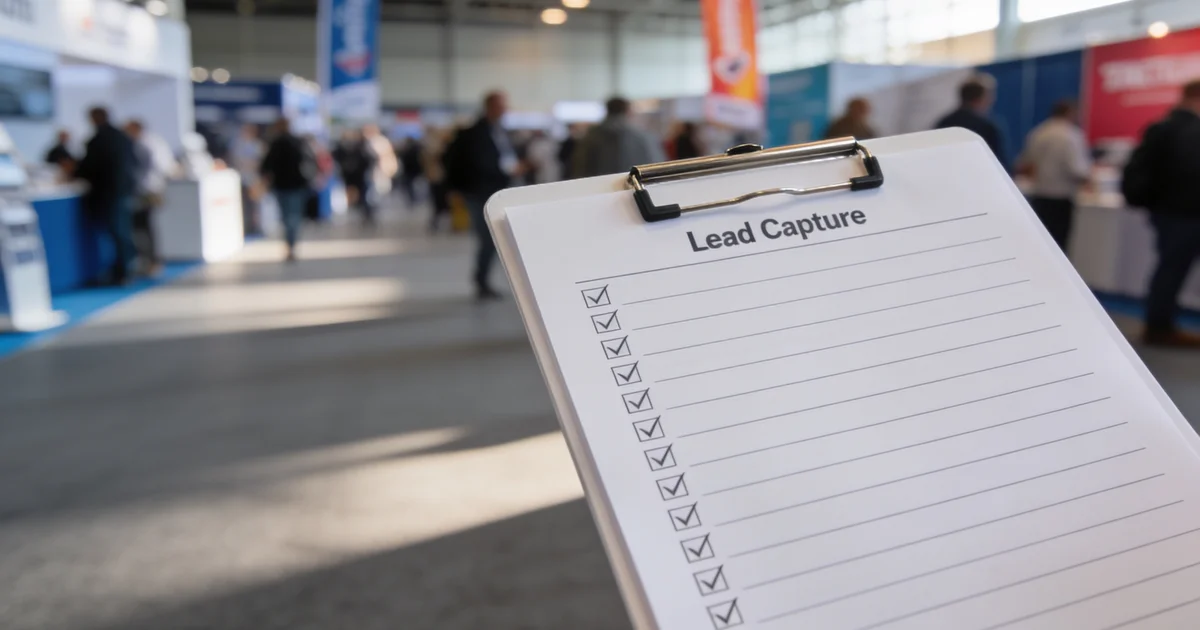
Every shift ends with a structured audit — not optional, not "if we have time." Booth lead or marketing ops runs this checklist:
| Check | Pass criteria | Fix before next shift |
|---|---|---|
| Scan count vs CRM rows | Within 5% — manual-backup tag explains gap | Enter pending photo rows |
| Hot tier hooks complete | 100% have conversation hook + owner | Rep callback while still on site if needed |
| Hot Slack pings | Every hot CRM row has matching thread | Post missing pings; confirm owner ack |
| Duplicate companies | Zero unresolved dupes for today | Run dedupe pass |
| Day 0 emails queued | Hot leads have send scheduled or sent | AE sends before leaving hall if within 4h window |
Fifteen minutes at shift close prevents three hours of cleanup Sunday night. We log audit pass/fail on the handoff sheet — two failed audits in a row means we pause and retrain before the next peak day.
Pre-show setup (48 hours before doors)
- Dual-capture kit packed: primary scanner phone, backup phone, paper log, charger bank
- CRM mobile view shows all required fields; tier picklist enforced
- Hot-lead Slack channel created with owner roster and @mentions tested
- Shift grid posted — qualifier, demo, floater roles plus handoff times
- Offline scan test on primary and backup devices
- Named dedupe owner and audit owner assigned on show brief
Run a ten-minute rehearsal at setup: one teammate plays a hot buyer, one runs dual capture end to end including Slack ping and CRM field check. If the team cannot complete the loop in rehearsal, they will not run it under aisle pressure.
FAQ
How do you capture every lead at a trade show?
Run dual capture — scanner plus manual backup — then enforce CRM required fields before visitors leave. Log shift handoffs, dedupe same day, ping hot leads on Slack, and audit every shift. Capture means qualified conversations with context, not every badge in the hall.
What is the best backup when a badge scanner fails?
Photo of badge, paper log row with timestamp and rep initials, and same-day manual CRM entry tagged manual-backup. Never defer manual rows until travel home — that is when hooks get lost.
What CRM fields should you capture at the booth?
ICP tier, role and authority, timeline, current vendor, conversation hook, next step, next-step owner, show source tag, and capture method. All fields filled before the visitor leaves your zone.
How do you hand off leads between booth shifts?
Use a shift handoff log: outgoing rep reports hot/warm counts, pending manual rows, scanner status, and open demos; incoming rep read-backs and signs off before taking the aisle.
How do you avoid duplicate leads after a trade show?
Same-day dedupe by email domain and company name plus show tag — merge duplicates at lunch and shift close, not Monday morning. Flag return visitors with a note instead of creating duplicate rows.
When should you audit trade show leads during the show?
End of every shift — 15 minutes comparing scan count, CRM rows, manual-backup tags, hot Slack pings, and missing hooks. Queue day 0 hot emails before leaving the hall when within the four-hour window.
The dual-capture stack (scanner + manual backup)
Primary badge scanner tested offline; backup = photo of badge + paper log + same-day manual CRM entry. Pair with scanner app comparison.
CRM required fields before they leave the zone
| Field | Why |
|---|---|
| ICP tier | Hot/warm/cold drives follow-up SLA |
| Conversation hook | Personalized day 0 email |
| Next step + owner | No orphan scans |
Qualification questions from two-minute qualify script.
Shift handoff log
Outgoing rep logs hot/warm count, open demos, scanner battery/Wi-Fi status, and any manual-backup rows pending CRM entry. Incoming rep signs off before taking the aisle.
Same-day dedupe
Marketing ops merges duplicate company records before end of show day — email domain + show tag match. Prevents Monday inbox collisions.
Hot-lead Slack channel during show hours
Named AE pinged within minutes of hot tier tag. Ties to conversations-to-meetings workflow.
End-of-shift audit (15 minutes)
Count scans vs manual rows vs hot pings; fix missing hooks; queue day 0 follow-up per follow-up timeline. Contrast gaps with capture mistakes.
Common exhibitor questions
How do you capture every lead at a trade show?
Run a dual-capture stack: primary badge scanner plus manual backup (photo + paper log + same-day CRM entry). Require CRM fields before visitors leave, log shift handoffs, dedupe same day, ping hot leads on Slack, and audit at end of shift.
What is the best backup when a badge scanner fails?
Photo of badge, paper log row with timestamp and rep initials, and manual CRM entry before end of show day — never wait until travel home.
What CRM fields should you capture at the booth?
ICP tier, role and authority, timeline, current vendor, conversation hook, next step, next-step owner, and show source tag — all filled before the visitor leaves your zone.
How do you hand off leads between booth shifts?
Use a shift handoff log: outgoing rep reports hot/warm counts, pending manual rows, scanner status, and open demos; incoming rep confirms before taking the floor.
How do you avoid duplicate leads after a trade show?
Same-day dedupe by email domain and company name plus show tag — merge duplicates before close of show day, not Monday morning.
When should you audit trade show leads during the show?
End of every shift: 15-minute audit comparing scan count, manual backup rows, hot Slack pings, and missing CRM hooks.
Editorial standards & corrections
This guide is maintained by the ExhibitionsVoice editorial team. We cross-check dates, venues, and organizer names against official sources before listing events. Spot an error? Use our contact form with the event URL and corrected details — every correction request is read by editorial.
Read more: About ExhibitionsVoice · FAQs · All exhibitor guides
Related articles
Oil and gas trade shows 2026: energy calendar and how to pick
Oil and gas trade shows for 2026 — ADIPEC, WETEX, and offshore energy fairs we score for NOC, IOC, and energy-tech exhibitors.
CPHI India 2026 exhibitor guide: Delhi pharma ingredients floor
CPHI India 2026 exhibitor guide for 23-25 November at IICC Yashobhoomi, New Delhi — API, CDMO, and packaging teams scoring South Asia's ingredients floor.
Fintech trade shows 2026: payments calendar and how to pick
Fintech and payments trade shows for 2026 — Money20/20 USA, Sibos, and how banks and vendors pick Tier A/B/C money-ecosystem floors.
ADIPEC 2026 exhibitor guide: Abu Dhabi energy floor
ADIPEC 2026 exhibitor guide for 2-5 November at ADNEC Centre Abu Dhabi — who should exhibit, hall logistics, and how we score the energy floor.