
Article
How to use QR codes effectively at your trade show booth
QR codes that capture leads — not just open your homepage. Placement, landing page rules, UTM tracking, and backup when Wi-Fi fails on the show floor.
Article
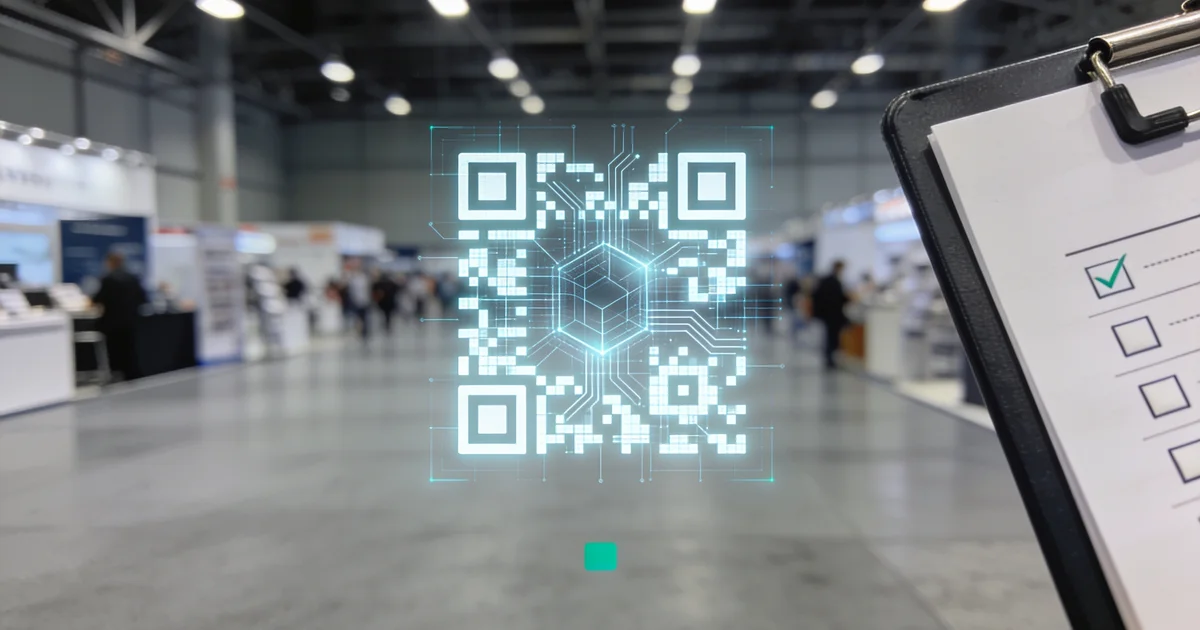
Short answer: Point booth QR codes at a show-specific lead-capture landing page — not your homepage — with a short mobile form, UTM and CRM show tags, counter vs poster placement sized for scan distance, and a badge-scan backup when hall Wi-Fi fails. Add a one-line privacy consent on EU forms before you print a single code.
When I audit exhibitor booths after major B2B fairs, QR codes are everywhere — and almost none of them produce attributable leads. Marketing prints a code on the backwall, links it to the corporate homepage, and wonders why CRM shows forty scans and zero meetings. The problem is not QR technology. It is destination, placement, and backup. This guide is the 2026 playbook we recommend for booth teams who want scans that become pipeline: where to point the code, what the landing page must do, how to tag traffic, and what to run when connectivity dies mid-conversation. For the broader capture stack — shift handoffs, dedupe, audits — pair this page with our lead capture workflow and capture mistakes guide.
One clarification: ExhibitionsVoice is a trade show directory. We do not sell QR generators, lead capture software, or attendee lists. The standards here are editorial recommendations we cite when reviewing booth kits and shortlisting fairs on ExhibitionsVoice.
Point QR codes at lead capture — not your homepage
The default mistake I flag on every post-show debrief: a QR code that opens yourcompany.com. Mobile visitors on a crowded aisle will not navigate your mega-menu to find a contact form. They bounce in eight seconds and you lose the scan entirely.
Every booth QR should resolve to a dedicated show landing page with one job: capture a qualified lead with context. That page lives on a short URL you can print large — yourcompany.com/[show-slug]-2026 or a tracked redirect — and nowhere else. Homepage QR codes are fine for brand awareness at a bus stop. On a trade show floor, they are lead-capture failures waiting to happen.
If marketing insists on a single master URL across the calendar, use a redirect layer that still lands on show-specific copy and form fields. Generic corporate pages cannot reference the hall conversation; show pages can.
Landing page rules (what the scan must deliver)
Build and test the landing page before graphics go to print — not in the hotel lobby on setup day. These are the rules we enforce on exhibitor briefs:
- Mobile-first — loads in under three seconds on 4G; no hero video autoplay eating bandwidth
- Five fields maximum — name, work email, company, role, one qualifying question tied to your ICP
- Single CTA — book a 15-minute demo or download one asset; never a menu of three equal buttons
- Thank-you page with next step — calendar embed or immediate asset delivery; no dead-end "thanks"
- CRM webhook or native form integration — test submission end-to-end during move-in; confirm show tag writes to the record
- Rep-readable confirmation — visitor sees their email on screen so the booth rep knows capture succeeded before they walk away
The qualifying question is not decoration. It filters tire-kickers and gives sales a hook for day 0 email — aligned with the tier calendar in our perfect follow-up timeline. "What is your biggest challenge with [process]?" beats "How did you hear about us?" on a hall floor.
Booth placement: counter vs poster
Placement changes scan behaviour more than code design. We split booth QR into two roles:
| Location | Best for | Scan distance | Rep involvement |
|---|---|---|---|
| Counter / demo table | Qualified conversations — visitor already engaged | Arm's length (30–50 cm) | Rep coaches scan after qualify script |
| Poster / backwall / aisle-facing panel | Drive-by traffic, after-hours walk-bys | 1–2 m with larger code | Self-serve; copy must stand alone |
| Literature / business card | Follow-up for people who skipped the form on site | Handheld | Rep adds verbal context next day |
Counter codes belong on a tent card or acrylic stand at conversation height — not buried in a brochure stack. The rep qualifies first, then offers the scan: "I'll send the case study — thirty seconds on your phone." Counter placement converts at higher tier because a human filtered the traffic.
Poster codes need larger print, bolder CTA copy above the code ("Scan for the 2026 benchmark report"), and copy that does not assume a rep is present. Poster scans skew colder — tag them accordingly in CRM and route to nurture, not same-day AE blasts. Pair poster placement with aisle tactics from our booth visitors guide so drive-by traffic actually reaches the backwall.
UTM parameters and show-source tags
Without tags, marketing cannot answer the question finance asks at day 14: which show produced pipeline? Every QR URL carries UTM parameters; every form submission mirrors the same show identifier in CRM.
Template we recommend:
https://yourcompany.com/[show-slug]-2026?utm_source=trade-show&utm_medium=qr&utm_campaign=[show-slug]-2026&utm_content=counter
Swap utm_content to poster, card, or banner per placement. The utm_campaign value should match your CRM show source tag exactly — same spelling, same year — so analytics and pipeline reports reconcile without a VLOOKUP exercise in April.
When you exhibit at multiple fairs per quarter, consistent naming is the difference between "QR worked at Hannover" and "we have no idea." Shortlist events early on ExhibitionsVoice and bake show slugs into landing page URLs before creative approval.
Size, contrast, and quiet zone
Hall lighting and aisle distance kill marginal codes. Print specs we use on exhibitor checklists:
- Minimum size: 3×3 cm on counter cards; 5×5 cm or larger on backwall posters
- Contrast: dark code on light background or inverse — aim for 4:1 minimum; avoid brand-palette greys that look elegant and scan poorly
- Quiet zone: leave four modules of white space around the code; do not crop into artwork borders
- Label the CTA in text — "Scan for demo" next to the code; never a naked QR with no promise
- Pre-show test: scan from actual booth distance under fluorescent hall lights before move-in completes
I have seen teams shrink codes to preserve graphic design and lose half their poster scans. A slightly uglier, scannable code outperforms a beautiful one that cameras reject.
Wi-Fi backup: badge scan when QR fails
Convention centre Wi-Fi is unreliable by design — thousands of devices, concrete halls, vendor bandwidth caps. QR-only capture fails quietly: visitor taps, spinner spins, they shrug and leave. You never know you lost them.
We treat QR as the fast lane inside a dual-capture stack, not the only lane. When scan fails, form stalls, or visitor refuses the phone handoff:
- Badge scan via your primary app — pick hardware and export paths using our badge scanner app comparison
- Photo of badge or business card on a dedicated booth phone
- Paper log row — timestamp, rep initials, tier guess, one-line hook
- Same-day CRM entry tagged manual-backup with the same show source tag as QR would have carried
Train reps on the verbal handoff: "Wi-Fi is fighting us — may I scan your badge instead?" Never let a qualified conversation leave without one of those four paths. The full workflow — shift handoffs, dedupe, end-of-shift audit — lives in our capture every lead guide.
Privacy and GDPR (brief)
EU and UK shows add a consent layer US-only teams often skip. We are not lawyers; this is the operational minimum we see compliance teams accept on booth forms linked from QR:
- Unchecked consent checkbox — separate from terms of service; no pre-ticked marketing opt-in
- Link to privacy policy on the form, mobile-readable without pinch-zoom
- One-line data use statement — e.g. "We will use your details to follow up on your booth request and send relevant product updates"
- Store consent timestamp in CRM alongside the lead record
- Honor opt-out in follow-up sequences — cold nurture from poster scans still needs lawful basis documented
If you exhibit at Messe Frankfurt, ExCeL London, or similar EU-heavy calendars, build this into the landing page template once and reuse per show. Fixing consent on the floor is not feasible.
Bad vs good QR use at the booth
| Bad practice | Good practice |
|---|---|
| QR opens corporate homepage | Show-specific lead landing page with short form |
| Tiny code lost in busy artwork | High-contrast code with text CTA above it |
| Same URL for every show in 2026 | Unique UTM campaign + CRM show tag per event |
| QR-only capture — no backup | QR plus badge scan and manual log when Wi-Fi fails |
| Poster code with no context | Counter code after rep qualifies; poster code with standalone value prop |
| Ten-field form on mobile | Five fields max; qualify deeper in follow-up email |
| No privacy line on EU forms | Consent checkbox, policy link, timestamp in CRM |
| Print codes without hall-distance test | Setup-day scan test at 50 cm and 2 m under show lighting |
Run this table as a five-minute pre-show check with whoever approves booth graphics. Most failures are visible before freight ships.
Pre-show QR checklist (48 hours before doors)
- Landing page live, mobile-tested, CRM webhook confirmed
- UTM template copied per placement (counter, poster, card)
- Show source tag matches
utm_campaignspelling - Counter and poster codes sized and contrast-checked on proof
- Badge scanner charged; backup phone ready for photo capture
- EU shows: consent copy reviewed by legal or compliance
- Rep script: qualify → offer scan → confirm thank-you page → or badge backup
FAQ
Should a trade show QR code go to your homepage?
No. Point booth QR codes at a show-specific lead-capture landing page with a short form and one clear CTA. Homepage redirects produce untrackable traffic, not attributable pipeline — one of the patterns we flag in our lead capture mistakes guide.
What should a booth QR code landing page include?
Mobile-first layout, five fields maximum, one qualifying question, single CTA, thank-you page with next step, and CRM integration tested before move-in. The visitor should see confirmation on screen before leaving your zone.
Where should you place QR codes in a trade show booth?
Counter codes for qualified conversations at arm's length with a rep present; larger poster codes for drive-by traffic at one to two metres with standalone CTA copy. Label each placement so analytics can compare conversion by location.
How do you track QR code scans from a trade show?
Use UTM parameters with show slug, placement (counter vs poster), and year. Mirror the same show source tag in CRM on every form submission and badge-scan record so post-show pipeline reports tie to the event.
What size should a trade show QR code be?
Minimum 3×3 cm on counter cards; 5×5 cm or larger on backwall posters. Maintain high contrast, a four-module quiet zone, and test scans at actual booth distance under hall lighting before doors open.
What do you do when Wi-Fi fails and visitors cannot scan a QR code?
Fall back to badge scan, photo of badge, and paper log with same-day CRM entry — the same dual-capture backup in our lead capture workflow. Never rely on QR-only capture; hall connectivity will fail at least once per show cycle.
Point QR codes at lead capture — not your homepage
Dedicated show landing page with short form, one asset, and show-specific CTA. Contrast with lead capture mistakes when teams default to homepage URLs.
Landing page rules (what the scan must deliver)
- Mobile-first, loads under 3 seconds on 4G
- Five fields max: name, work email, company, role, one qualifying question
- Single CTA — book demo or download one asset
- Thank-you page with calendar link or asset delivery
- CRM webhook or form integration tested before move-in
Booth placement: counter vs poster
| Location | Best for | Scan distance |
|---|---|---|
| Counter / demo table | Qualified conversations — rep present | Arm's length (30–50 cm) |
| Poster / backwall | Drive-by traffic, after-hours curiosity | 1–2 m with large code |
Pair poster QR with traffic tactics from booth visitors guide.
UTM and show-source tags
Example: utm_source=trade-show&utm_medium=qr&utm_campaign=[show-slug]-2026&utm_content=counter|poster. Mirror show tag in CRM for pipeline attribution. Align post-scan follow-up with follow-up timeline.
Size, contrast, and quiet zone
Minimum 3×3 cm printed; 5×5 cm on posters. Dark on light or inverse with 4:1 contrast. 4-module quiet zone. Test at hall distance before doors open.
Wi-Fi backup: badge scan when QR fails
When connectivity drops or visitor cannot complete form: badge scan via scanner app, photo + paper log, same-day CRM entry. Integrate with dual-capture workflow.
Privacy and GDPR (brief)
EU/UK shows: consent checkbox, link to privacy policy, data-use one-liner, no pre-ticked marketing opt-in. Store consent timestamp in CRM.
Bad vs good QR use at the booth
| Bad | Good |
|---|---|
| Homepage redirect | Show-specific lead landing page |
| Tiny code on busy graphic | High-contrast code with CTA label |
| QR-only capture | QR + badge scan backup |
| No UTM tags | Show slug + placement in UTM and CRM |
Common exhibitor questions
Should a trade show QR code go to your homepage?
No. Point booth QR codes at a show-specific lead-capture landing page with a short form and one clear CTA. Homepage redirects produce untrackable traffic, not attributable pipeline.
What should a booth QR code landing page include?
Mobile-first layout, five fields maximum, one qualifying question, single CTA, thank-you page with next step, and CRM integration tested before move-in.
Where should you place QR codes in a trade show booth?
Counter codes for qualified conversations at arm's length; larger poster codes for drive-by traffic at 1–2 metres. Label each with what the visitor gets after scanning.
How do you track QR code scans from a trade show?
Use UTM parameters with show slug, placement (counter vs poster), and year; mirror the same show tag in CRM so post-show pipeline reports tie to the event.
What size should a trade show QR code be?
Minimum 3×3 cm on counter cards; 5×5 cm or larger on backwall posters. Maintain high contrast and a quiet zone; test scans at actual booth distance under hall lighting.
What do you do when Wi-Fi fails and visitors cannot scan a QR code?
Fall back to badge scan, photo of badge, and paper log with same-day CRM entry — the same dual-capture backup we recommend in our lead capture workflow. Never rely on QR-only capture.
Editorial standards & corrections
This guide is maintained by the ExhibitionsVoice editorial team. We cross-check dates, venues, and organizer names against official sources before listing events. Spot an error? Use our contact form with the event URL and corrected details — every correction request is read by editorial.
Read more: About ExhibitionsVoice · FAQs · All exhibitor guides
Related articles

Trade show pre-show marketing playbook for 2026
Pre-show marketing for B2B exhibitors in 2026 — 90/60/30 outreach, meeting booking, content, and landing pages that fill the booth before doors open.

Trade show checklist template for 2026 (Excel + PDF-ready)
A copy-ready trade show checklist template for 2026 — 90/60/30-day tasks, show-week ops, and 14-day follow-up rows you can paste into Excel or Sheets.

Apparel trade shows 2026: fashion wholesale calendar
Apparel and fashion trade shows for 2026 — wholesale markets, sourcing fairs, and how brands and suppliers pick Tier A/B/C calendars.
Hospitality trade shows 2026: calendar and how to pick
Hospitality trade shows for 2026 — hotel, restaurant, and foodservice calendars with Tier A/B/C selection criteria for suppliers and operators.