
Article
Create one month of trade show content in 15 minutes
Batch pre-show and post-show social content from one brief — LinkedIn, email snippets, and booth-day posts without starting from a blank page every week.
Article
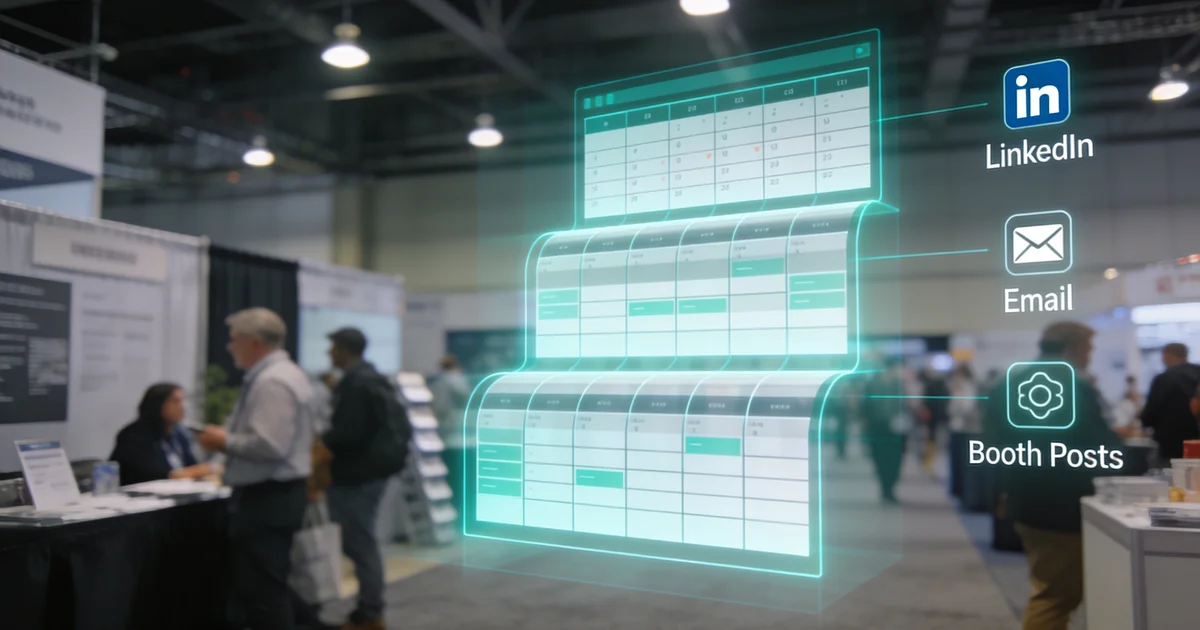
Short answer: Fill one 12-field show brief (show, tier, ICP pain, demo hook, meeting windows, booth landmark, owners, post-show asset) in three minutes, then batch four LinkedIn posts, two email snippets, three booth-day posts, and a post-show recap outline in the remaining 12 — every piece pulls from the same hook so sales and marketing stop rewriting from a blank page each week.
When I audit exhibitor marketing folders before a Tier A fair, the content plan is rarely missing — it is fragmented. Marketing drafts one LinkedIn graphic, sales sends a different hook in pre-show email, and booth-day posts get improvised from the aisle because nobody wrote them down. I built this workflow after pairing dozens of show briefs with our LinkedIn strategy playbook: one template, one 15-minute batch session, one month of aligned copy. If the fair fails ICP scoring, fix the calendar on ExhibitionsVoice before you fill the brief — no template saves a wrong show.
Why exhibitors stall on trade show content
Three patterns I see in every pre-show audit:
- Blank-page syndrome — someone opens LinkedIn or Mailchimp each week and rewrites the same booth invite from scratch
- Hook mismatch — marketing posts "visit booth 1234" while sales email promises a different demo outcome
- No post-show draft — Monday morning arrives with no recap outline, so follow-up email stalls behind exhaustion
Content batching is not a creativity problem. It is a source-of-truth problem. The show brief fixes that by forcing every channel to pull from the same demo hook, meeting windows, and booth landmark before anyone schedules a post. Pair the brief with pre-show meeting quotas from our booth traffic guide so copy and outreach share one narrative.
The show brief template: 12 fields that drive everything
Print this table on the show plan. Fill every cell once — never leave booth number or demo hook blank:
| Field | Example | Drives |
|---|---|---|
| 1. Show + dates | PackExpo Las Vegas, Sep 29–Oct 1 2026 | Headers in all copy |
| 2. Show tier | Tier A / B / C | Post count quota |
| 3. ICP pain | Line changeover downtime | 30-day problem post |
| 4. Demo hook | 90-second workflow live on the floor | LinkedIn, email, booth posts |
| 5. Meeting window A | Tuesday 2:00 pm | CTAs in every channel |
| 6. Meeting window B | Thursday 10:00 am | Backup slot in invites |
| 7. Booth + landmark | N-4521, north hall demo row | 7-day and booth-day posts |
| 8. Founder owner | Named account for reach posts | 30/14/7 founder row |
| 9. Company page owner | Marketing contact | Staff carousel, partner reshare |
| 10. AE owner | Rep standing the aisle | Connection DMs, booth-day proof |
| 11. Partner tag | Integration partner handle (optional) | 14-day co-marketing post |
| 12. Post-show asset | Demo recording + ROI one-pager | Email snippet 2 + recap outline |
Score tier on our Tier A/B/C budget framework before field 2. Tier C fairs get a shortened brief — one save-the-date, two email lines, one booth-day post — not the full batch.
15-minute batch workflow
Block one calendar slot four weeks before move-in. Timer optional; sequence is not:
- Minutes 1–3 — Fill the brief. Confirm show tier, ICP pain, demo hook, both meeting windows, booth landmark, named owners, and post-show asset. If any field is TBD, stop — you cannot batch copy without a hook.
- Minutes 4–8 — Batch four LinkedIn posts. Use the templates in the next section; paste into your scheduler with owner tags.
- Minutes 9–11 — Batch two email snippets. Pre-show invite plus post-show asset delivery — both pull fields 3–7 and 12.
- Minutes 12–13 — Batch three booth-day posts. Doors open, midday proof, day-2 or mid-show recap.
- Minutes 14–15 — Draft post-show recap outline. Five bullets from the brief; hand to marketing for Monday send using our follow-up email template.
One sitting, one brief, ten assets. Teams that skip the timed batch and write channel-by-channel typically spend two to three hours per week — and still publish mismatched hooks.
Four LinkedIn posts from one brief
Map each post to the 30/14/7 cadence in our LinkedIn strategy guide. Replace bracketed fields from your brief:
Post 1 — 30 days out (founder): "[ICP pain] is still costing [buyer type] more than the booth we booked for [show]. At [show] [dates] we run [demo hook] live — not a slide deck. Worth a stop if this is on your 2026 roadmap."
Post 2 — 14 days out (founder): "Two weeks to [show]. Here is what [demo hook] looks like on the floor — [60-sec clip or carousel]. Partner shout-out: @[partner tag] if applicable."
Post 3 — 7 days out (founder): "[Show] opens [date]. Booth [number], [aisle landmark]. I held [window A] and [window B] for walkthroughs before the aisle rush — DM if either works."
Post 4 — booth-day teaser (founder, eve of hall open): "Doors open tomorrow at [show]. Find us at [booth + landmark] — [demo hook] running at [time] on day one. See you on the aisle."
Tier B drops Post 1; Tier C keeps Post 3 only plus targeted DMs. Company page gets a staff carousel on Post 3 week — same brief fields, different account owner from row 9.
Two email snippets from one brief
Sales sends these; marketing stores the templates. Both under 150 words:
Email snippet 1 — pre-show invite: Subject: [Show] — [demo hook] at booth [number]. Body: reference [ICP pain], name [demo hook], offer [window A] or [window B], close with booth landmark. Personalize first line from CRM — never mail-merge booth number alone.
Email snippet 2 — post-show asset: Subject: [Post-show asset] from [show]. Body: one sentence recalling booth conversation hook, link to [post-show asset], soft CTA for 15-minute follow-up. Route hot leads same day; warm within 24 hours per follow-up template.
Snippet 2 is the bridge between booth conversation and pipeline — same asset named in field 12 of the brief. Do not invent a new deliverable Monday morning.
Three booth-day posts from one brief
Pre-write all three before move-in; schedule or paste from the hotel lobby:
- Day 1 morning — doors open: Booth number, aisle landmark, demo time today, one line on [demo hook]. Founder account.
- Day 1 midday — proof moment: Photo or 30-second clip of [demo hook] running; tag show hashtag once. AE or founder account.
- Day 2 or mid-show — recap tease: One buyer insight from the floor (with permission) or partner reshare from field 11. Company page or founder.
These three posts align with the booth-day split in our LinkedIn strategy guide — founder for reach, company for staff and partners. Two touches per day maximum; the brief prevents hour-by-hour improvisation.
Post-show recap outline (five bullets)
Minute 14–15 output — not a full article, an outline marketing expands Monday:
- Show attended: [show + dates] — tier confirmation for rebook decision
- Demo delivered: [demo hook] — how many live runs or meetings booked
- Meetings held: count by hot / warm / cold tier
- Asset sent: [post-show asset] — owner and send deadline
- Next-step owners: named AE per hot account; marketing nurture for cold
Feed bullets into snippet 2 and the follow-up email template. LinkedIn recap post on day 3–5 can lift bullet 2 as the hook — same brief, no new writing.
When to expand the brief with AI tools
Lock the brief first. AI caption variants are useful only after fields 3, 4, and 7 are final — never generate hooks before tier scoring. I see teams paste empty prompts into tools and get generic booth blasts that contradict sales email. Use AI for tone variants on locked copy, not for strategy. Our AI tools guide covers which tools fit caption expansion versus lead capture — content batching stays a brief-first workflow.
Add the batch to your show brief checklist
- Confirm show tier on budget framework; shortlist fair on ExhibitionsVoice if still selecting
- Fill all 12 brief fields; reject batching if demo hook is TBD
- Run 15-minute workflow; assign scheduler owners per LinkedIn row in the strategy guide
- Load email snippets into CRM templates with personalization tokens for first line only
- Store booth-day posts in a shared doc accessible on the show floor
- Pre-write recap outline bullets; assign Monday owner before travel home
One brief beats ten reactive posts. If you only adopt one habit from this workflow: fill field 4 (demo hook) once and ban every channel from inventing a different hook.
FAQ
How do you plan a month of trade show content quickly?
Fill one 12-field show brief in three minutes, then batch four LinkedIn posts, two email snippets, three booth-day posts, and one post-show recap outline in the remaining 12 minutes. Every piece pulls from the same demo hook and meeting windows — no blank-page rewriting each week.
What should be in a trade show content brief?
Show name and dates, tier (A/B/C), ICP pain point, one demo hook, two bookable meeting windows, booth number with aisle landmark, named post owners (founder and AE), optional partner tag, and the post-show asset you will deliver. These 12 fields drive all channel copy.
How many LinkedIn posts should exhibitors schedule before a show?
Tier A: four pre-show posts plus booth-day posts (30/14/7 cadence plus doors-open). Tier B: three posts (14/7 plus doors-open). Tier C: one save-the-date at 7 days plus targeted DMs. The show brief batches all four Tier A posts in one sitting.
Can you batch trade show email and social content from one template?
Yes — the same demo hook, meeting windows, and booth landmark in the show brief populate LinkedIn posts, pre-show email invites, booth-day captions, and the post-show asset email. One source of truth prevents sales and marketing from publishing mismatched hooks.
How long does it take to create trade show marketing content?
With a filled show brief, 15 minutes batches one month of core content: four LinkedIn posts, two email snippets, three booth-day posts, and a post-show recap outline. Without a brief, teams often spend two to three hours per week rewriting from scratch.
What content should exhibitors post during booth days?
Three booth-day posts from the brief: morning doors-open with booth number and demo time, midday proof moment (live demo clip or buyer quote with permission), and a day-2 or mid-show recap with partner tag if applicable. Founder account for reach; company page for staff carousel.
Why exhibitors stall on content
Blank-page problem, mismatched hooks across channels, no single source for booth number and demo hook. Tie to LinkedIn strategy cadence.
The show brief template (12 fields)
| Field | Example | Drives |
|---|---|---|
| Show + dates | PackExpo Las Vegas, Sep 29–Oct 1 | All copy headers |
| Show tier | Tier A | Post count quota |
| ICP pain | Line changeover downtime | Problem posts |
| Demo hook | 90-sec workflow live | LinkedIn + booth posts |
| Two meeting windows | Tue 2pm / Thu 10am | CTAs in all channels |
| Booth + aisle landmark | N-4521, north hall demo row | 7-day and booth-day posts |
| Founder + AE names | Named owners per post | Account assignment |
| Post-show asset | Demo recording + ROI sheet | Recap + email snippet 2 |
15-minute batch workflow
- Minutes 1–3: Fill all 12 brief fields after tier scoring on show budget framework
- Minutes 4–8: Batch 4 LinkedIn posts (30/14/7 + booth-day teaser)
- Minutes 9–11: Batch 2 email snippets (pre-show invite + post-show asset)
- Minutes 12–13: Batch 3 booth-day posts (doors open, midday proof, day-2 recap)
- Minutes 14–15: Draft post-show recap outline from brief fields
4 LinkedIn posts from one brief
Post 1 (30-day): ICP pain. Post 2 (14-day): demo preview. Post 3 (7-day): booth + meeting windows. Post 4 (booth-day teaser): doors-open hook. Align with full LinkedIn strategy playbook.
2 email snippets + 3 booth-day posts
Email 1: pre-show invite with demo slot. Email 2: post-show asset delivery. Booth-day 1: doors open. Booth-day 2: midday proof. Booth-day 3: partner or day-2 recap. Pair email 2 with follow-up email template.
Post-show recap outline
Five-bullet outline from brief: show attended, demo delivered, meetings held, asset sent, next-step owners. Feeds Monday post-show email and LinkedIn recap.
When to expand with AI tools
Brief fields first; AI expands variants only after brief is locked. See AI tools guide for caption variants — never generate before tier and hook are set.
Common exhibitor questions
How do you plan a month of trade show content quickly?
Fill one 12-field show brief in three minutes, then batch four LinkedIn posts, two email snippets, three booth-day posts, and one post-show recap outline in the remaining 12 minutes. Every piece pulls from the same demo hook and meeting windows — no blank-page rewriting each week.
What should be in a trade show content brief?
Show name and dates, tier (A/B/C), ICP pain point, one demo hook, two bookable meeting windows, booth number with aisle landmark, named post owners (founder and AE), optional partner tag, and the post-show asset you will deliver. These 12 fields drive all channel copy.
How many LinkedIn posts should exhibitors schedule before a show?
Tier A: four pre-show posts plus booth-day posts (30/14/7 cadence plus doors-open). Tier B: three posts (14/7 plus doors-open). Tier C: one save-the-date at 7 days plus targeted DMs. The show brief batches all four Tier A posts in one sitting.
Can you batch trade show email and social content from one template?
Yes — the same demo hook, meeting windows, and booth landmark in the show brief populate LinkedIn posts, pre-show email invites, booth-day captions, and the post-show asset email. One source of truth prevents sales and marketing from publishing mismatched hooks.
How long does it take to create trade show marketing content?
With a filled show brief, 15 minutes batches one month of core content: four LinkedIn posts, two email snippets, three booth-day posts, and a post-show recap outline. Without a brief, teams often spend two to three hours per week rewriting from scratch.
What content should exhibitors post during booth days?
Three booth-day posts from the brief: morning doors-open with booth number and demo time, midday proof moment (live demo clip or buyer quote with permission), and a day-2 or mid-show recap with partner tag if applicable. Founder account for reach; company page for staff carousel.
Editorial standards & corrections
This guide is maintained by the ExhibitionsVoice editorial team. We cross-check dates, venues, and organizer names against official sources before listing events. Spot an error? Use our contact form with the event URL and corrected details — every correction request is read by editorial.
Read more: About ExhibitionsVoice · FAQs · All exhibitor guides
Related articles
Oil and gas trade shows 2026: energy calendar and how to pick
Oil and gas trade shows for 2026 — ADIPEC, WETEX, and offshore energy fairs we score for NOC, IOC, and energy-tech exhibitors.

CPHI India 2026 exhibitor guide: Delhi pharma ingredients floor
CPHI India 2026 exhibitor guide for 23-25 November at IICC Yashobhoomi, New Delhi — API, CDMO, and packaging teams scoring South Asia's ingredients floor.
Fintech trade shows 2026: payments calendar and how to pick
Fintech and payments trade shows for 2026 — Money20/20 USA, Sibos, and how banks and vendors pick Tier A/B/C money-ecosystem floors.
ADIPEC 2026 exhibitor guide: Abu Dhabi energy floor
ADIPEC 2026 exhibitor guide for 2-5 November at ADNEC Centre Abu Dhabi — who should exhibit, hall logistics, and how we score the energy floor.