
Article
Best trade show lead capture apps for 2026
Compare trade show lead capture apps for 2026 — badge scan vs form apps, CRM sync, offline backup, and the buyer checklist we use before show week.
Article
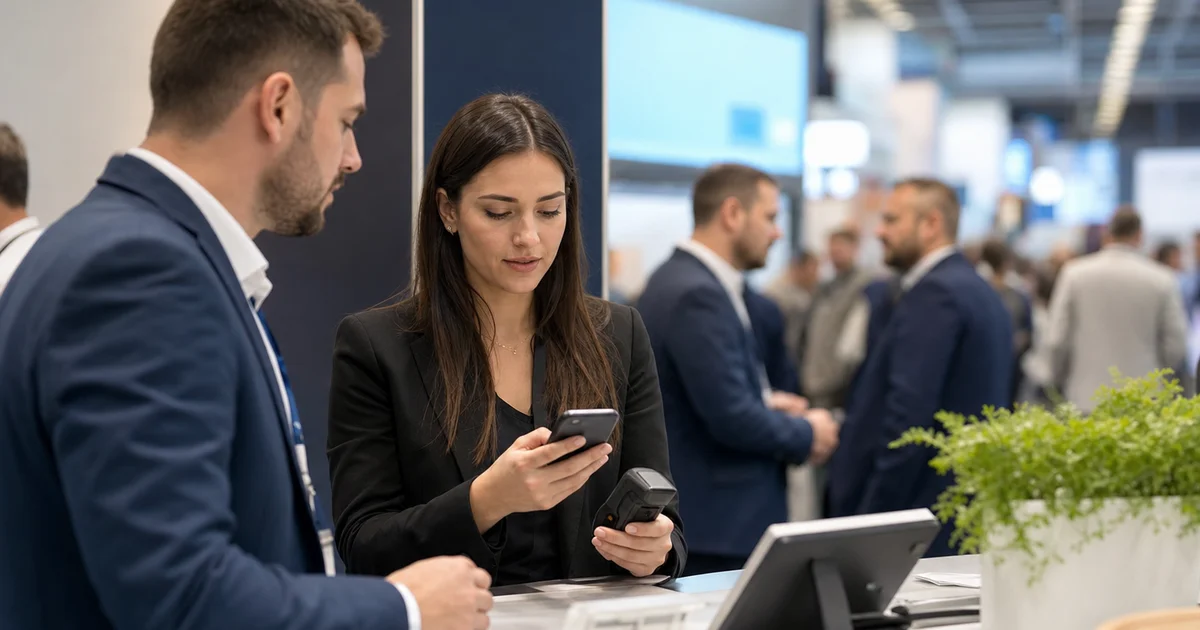
Short answer: A trade show lead capture app is the floor tool that turns booth conversations into structured CRM records — via badge scan, form/kiosk entry, business card OCR, or a hybrid. Badge scanning is one method inside that category, not the whole category. Pick the method that matches your aisle traffic and qualification depth, then require offline queues, CRM field mapping, and multi-rep dedupe before show week. For scanner-only buying criteria, use our badge scanner app comparison; this guide covers the broader capture-app decision.
When I shortlist tools for exhibitor teams before a busy calendar, the first mistake I see is treating "lead capture app" and "badge scanner" as the same purchase. They are not. Some teams need two-second badge retrieval on a packed aisle. Others need a tablet form at a demo station, a self-serve kiosk while reps present, or a hybrid that scans when badges work and falls back to forms when they do not. This page is the category buyer guide — how the methods differ, what to require before you sign, and how capture fits the rest of your pipeline. It is not a vendor star-rating roundup, and it is not booth-ops software (see exhibitor management software for tasks, freight, and RACI).
What a trade show lead capture app actually is
A lead capture app records who you met, enough context to follow up, and a clean path into CRM or export. In practice, products cluster into four methods:
- Badge scan / lead retrieval — camera or device reads barcode, QR, or NFC on the attendee badge and pulls registration fields
- Form and kiosk apps — staff or visitor fills structured fields on a phone or locked tablet; useful when badges are weak or surveys are long
- Business card OCR / manual entry — photo or typed capture for hallway meetings, dinners, and shows without scannable badges
- Hybrid suites — one app that can scan, form, and OCR, then sync the same qualification schema to CRM
Everything else — enrichment, scoring, voice notes, microsites — is optional layering. The purchase decision starts with which capture method your floor actually needs, then whether CRM sync and offline behavior survive a real show. Capture is one layer of event lead generation; it does not replace show selection, qualification scripts, or a follow-up SLA.
Badge scan apps vs form and kiosk apps
| Dimension | Badge scan apps | Form / kiosk apps |
|---|---|---|
| Best for | High-traffic aisles where speed beats depth | Demo stations, longer surveys, self-serve capture |
| Typical fields | Name, company, title, email from registration | Whatever you design — ICP, budget, timeline, consent |
| Floor speed | Seconds per contact when badges scan cleanly | Slower; visitor or rep types or taps answers |
| Failure mode | Unreadable badges, API lock-in, Wi-Fi for some providers | Abandoned forms, incomplete emails, queue ownership |
| Qualification depth | Often shallow unless post-scan questions are built in | Strong when forms stay short (3–5 must-ask fields) |
| Staff skill needed | Low — scan, add note, next visitor | Medium — guide the form or monitor a kiosk |
| Organizer dependency | Higher when you rely on official lead retrieval feeds | Lower — works even when badge data is restricted |
| Hybrid tip | Use on the aisle edge for volume | Use at the product island for qualified demos |
I do not tell teams to pick one forever. Many Tier A booths run scan on the aisle and a short form at the demo table — as long as dedupe rules are tested before move-in. If you already know badge retrieval is the only job, stop here and read the scanner comparison for free vs paid, offline tests, and CRM mapping specifics.
Buyer checklist: what to require before show week
When I walk a team through vendor demos, I score the category on seven checks. Fail two or more and you are buying a spreadsheet with a nicer icon.
- Capture method fit. Does the app natively support the method you will use on the floor (scan, form/kiosk, OCR, or hybrid), or are you forcing a scanner into a form job?
- Offline queue and sync-on-reconnect. Venue Wi-Fi fails. Captures must store on-device and push when the phone recovers — without silent data loss.
- CRM field mapping you actually use. Map company, contact, title, ICP tier, pain point, timeline, next-step owner, and show tag. A CSV dump of name and email is not a pipeline handoff.
- Multi-rep dedupe. Two reps will scan or form the same visitor. Confirm merge or skip behavior in a dry run.
- Qualification on the same screen. Post-scan or in-form questions for hot / warm / cold should take under a minute — aligned with how you already qualify conversations.
- Device and battery plan. One backup device per booth zone, charged, logged into the same workspace, tested offline.
- Export and audit path. Same-day export or sync log so marketing ops can prove every floor contact reached CRM before the flight home.
Run those seven against a real show brief, not a vendor demo script. Pair the tool with the dual-capture discipline in how we capture every lead so a dead battery never means a lost contact.
When badge scan is enough — and when it is not
Badge scan is enough when attendee badges are consistently scannable, your ICP questions fit in a short post-scan prompt, and aisle volume would make a full form a bottleneck. It is the right default for many regional and flagship B2B halls.
Form or kiosk is better when badges are restricted, registration data is thin, you need consent language on-device, visitors self-serve during a long demo, or your sales process needs five structured answers before a meeting is booked. Forms fail when they become essays — keep must-ask fields tight and optional notes in voice or free text.
Hybrid wins when the same booth has a volume aisle and a deep-demo island. Assign methods by zone, one CRM schema, one dedupe key (usually email + show tag), and one owner field so you do not mint duplicate records.
Organizer lead retrieval vs your own app
Official show lead retrieval is sometimes included in the exhibitor package or required for certain badge types. Use it when the fee is already paid and export is clean. Do not assume it replaces your capture stack. Organizer apps often stop at contact basics and lack the ICP tier and next-step owner fields your follow-up SLA needs. Many teams run organizer retrieval for coverage and their own app for qualification — then reconcile once, with rules tested in staging.
Also keep category boundaries clear: a lead capture app is not exhibitor management software. Ops platforms track deadlines, vendors, and staff RACI. Capture apps own the floor-to-CRM contact record. Bundled suites may sell both; evaluate them as two feature sets.
From capture to follow-up in the same week
The app is useless if Monday starts with an unsorted CSV. Before travel, lock the same definitions your event lead generation brief already uses: hot / warm / cold, named owners, and day-0 to day-14 SLAs. Hot leads should trigger outreach the same day using your follow-up email templates, not a "we will sort leads next week" pile. Capture quality is measured by meetings booked and pipeline influenced — not scan count.
If you are still choosing which fairs deserve a full capture stack, shortlist on ExhibitionsVoice tradeshows first. Tooling follows calendar fit; it does not fix a show that never had your buyers. Questions about directory data or editorial research — contact us.
Common buying mistakes I still see
- Buying a scanner because a peer bought a scanner — without checking whether your booth needs forms or hybrid capture
- Skipping the offline dry run — then discovering the app needs live Wi-Fi mid-aisle
- CRM sync that only maps name and email — leaving ICP tier and owner in a notes field nobody reports on
- No backup device — one dead phone becomes a dead capture lane
- Capture without a follow-up owner — inflating lists that never enter a sequence
Fix the process first, then the SKU. The selection checklist above exists so you do not learn those lessons on day one of a Tier A show.
FAQ
What is a trade show lead capture app?
It is software that records booth contacts on the show floor — through badge scan, form/kiosk entry, business card OCR, or a hybrid — and routes structured records into CRM or export with qualification context. It is the capture layer of exhibitor lead generation, not a booth-ops or freight tool.
Is a badge scanner the same as a lead capture app?
No. Badge scanning is one capture method. Form/kiosk apps, card OCR tools, and hybrids are also lead capture apps. When you only need scanner buying criteria, use our badge scanner app comparison.
When should I use a form or kiosk app instead of badge scanning?
Use form/kiosk when badges are unreliable or restricted, when you need longer qualification or consent fields, or when visitors self-serve during demos. Prefer badge scan for high-traffic aisles where two-second capture matters more than survey depth.
What should I test before buying a lead capture app?
Offline capture and sync-on-reconnect, CRM mapping for ICP tier and next-step owner, multi-rep dedupe, backup devices, and a same-day export or sync log. Fail any of those in a dry run and keep evaluating.
Do I still need the organizer lead retrieval system?
Use it when it is included and export works. Still verify custom qualification fields and CRM sync — organizer apps rarely replace a full capture-to-follow-up workflow on their own.
How does a lead capture app fit into follow-up and CRM?
The app captures and syncs; your show brief owns tiers, owners, and SLAs. Same-day CRM records should feed follow-up email templates so hot leads get outreach before the flight home — not a week later.
Hybrid capture without doubling CRM duplicates
If your team runs badge scan on the aisle and a kiosk form at the demo station, set one dedupe key before move-in — usually email plus show tag — and assign a single CRM owner field so two capture methods do not create two records for the same visitor. Test a deliberate double-capture (scan then form) in staging and confirm merge or skip behavior before the first live badge hits the floor.
When organizer lead retrieval is still required
Some shows include official lead retrieval in the exhibitor package or require it for certain badge types. Use it when export is clean and the fee is already paid — but still run your own qualification fields and CRM sync test. Organizer apps often stop at name and company; your capture app (or a structured notes layer) owns ICP tier, next-step owner, and follow-up SLA.
Common exhibitor questions
What is a trade show lead capture app?
It is software that records booth contacts on the show floor — via badge scan, form/kiosk entry, business card OCR, or a hybrid — and routes structured records into your CRM or export path with qualification context, not just a raw name list.
Is a badge scanner the same as a lead capture app?
No. Badge scanning is one capture method inside the broader lead capture app category. Form/kiosk apps, card OCR tools, and hybrids that combine methods are also lead capture apps. See our scanner-specific comparison when you already know you need badge retrieval.
When should I use a form or kiosk app instead of badge scanning?
Choose form/kiosk when badges are unreliable or restricted, when you need longer qualification surveys, self-serve capture during demos, or when visitors will not present a scannable badge. Badge scan wins for high-traffic aisles where speed matters most.
What should I test before buying a lead capture app?
Offline capture and sync-on-reconnect, CRM field mapping for ICP tier and next-step owner, multi-rep dedupe, battery/device backup, and a same-day export path. Fail any of those in a dry run and keep shopping.
Do I still need the organizer lead retrieval system?
Use it when it is included and export works. Still verify custom qualification fields and CRM sync — organizer apps rarely replace a full capture-to-follow-up workflow.
How does a lead capture app fit into follow-up and CRM?
The app is the floor capture layer. Qualification tiers and owners must sync into CRM the same day so follow-up templates and SLAs can run. Capture without a follow-up plan only creates a larger unused list.
Editorial standards & corrections
This guide is maintained by the ExhibitionsVoice editorial team. We cross-check dates, venues, and organizer names against official sources before listing events. Spot an error? Use our contact form with the event URL and corrected details — every correction request is read by editorial.
Read more: About ExhibitionsVoice · FAQs · All exhibitor guides
Related articles
Oil and gas trade shows 2026: energy calendar and how to pick
Oil and gas trade shows for 2026 — ADIPEC, WETEX, and offshore energy fairs we score for NOC, IOC, and energy-tech exhibitors.
CPHI India 2026 exhibitor guide: Delhi pharma ingredients floor
CPHI India 2026 exhibitor guide for 23-25 November at IICC Yashobhoomi, New Delhi — API, CDMO, and packaging teams scoring South Asia's ingredients floor.

Fintech trade shows 2026: payments calendar and how to pick
Fintech and payments trade shows for 2026 — Money20/20 USA, Sibos, and how banks and vendors pick Tier A/B/C money-ecosystem floors.
ADIPEC 2026 exhibitor guide: Abu Dhabi energy floor
ADIPEC 2026 exhibitor guide for 2-5 November at ADNEC Centre Abu Dhabi — who should exhibit, hall logistics, and how we score the energy floor.